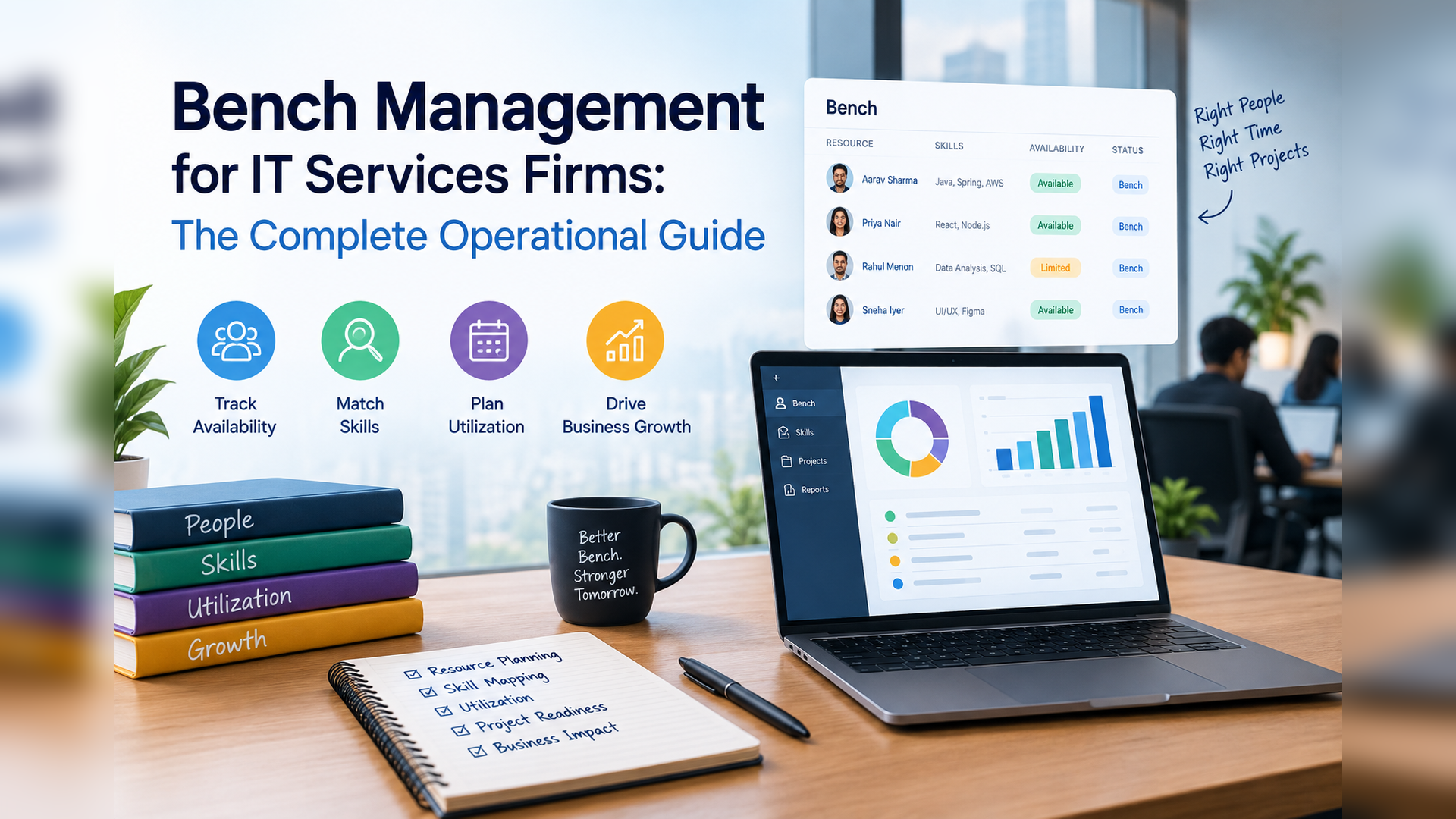
Bench Management for IT Services Firms: The Complete Operational Guide
7 PM tools ranked for professional services. Features, comparison table, and verdict.
Date Posted:
September 21, 2026
Share This:
Bench Management for IT Services Firms: The Complete Operational Guide
Bench management is the practice of minimizing the time between project assignments for billable resources while preserving the talent the firm needs for upcoming demand. Done well, it is the operational discipline that keeps utilization at 75 to 85%, reduces the cost drag of undeployed payroll, and prevents the talent loss that comes when good engineers sit idle for too long. Done poorly, it is a monthly firefight where resource managers react to bench that has already accumulated, clients receive under-qualified resources because the right person was available rather than the best person, and engineers start interviewing elsewhere after their third consecutive bench week. This guide covers how best-in-class IT services firms manage bench in 2026.
Best-in-class bench management is proactive, not reactive. The difference is whether you know a resource is approaching bench 7 to 14 days before it happens (proactive) or whether you discover it 5 to 7 days after it has begun (reactive). That 12 to 21 day difference in detection time is worth $2,000 to $5,000 per resource per bench event at typical IT billing rates.
What Bench Management Is (and Is Not)
Bench management is the operational process of tracking when resources will complete their current assignments, matching them to upcoming demand before their bench period begins, and managing the resources who are between assignments with a structured program that retains them, develops their skills, and prepares them for their next deployment.
It is not the same as utilization management (which measures what percentage of available time is billable). It is not the same as resource allocation (which is the process of matching resources to specific projects). Bench management sits between the two: it is the process that ensures allocation happens before bench begins, and that bench time, when it does occur, is managed as a strategic investment rather than an idle period.
The best bench management operation is one where you can never tell who is on bench because they are always deployed on something of value, whether a client project, a strategic internal initiative, or a certified skill development program.
Why Bench Management Matters More Than Most IT Leaders Think
The Bench Lifecycle: From Rolloff to Redeployment
| Stage | Timeframe | Action Required | Owner |
|---|---|---|---|
| Pre-rolloff alert | 14 to 21 days before project end | Resource manager receives alert; begins matching resource to open demand; checks pipeline for upcoming needs matching resource profile | Resource Manager + AI system |
| Pipeline matching | 7 to 14 days before rolloff | Review open demand requests and pipeline opportunities at 60%+ probability; generate ranked allocation candidates; initiate pre-allocation conversations with project managers | Resource Manager |
| Rolloff and bench start | Day 0 | Resource transitions to bench. Bench program activation: skill development assignment, internal project allocation, or client development support. Bench cost tracking begins. | Practice Lead |
| Active bench management | Days 1 to 14 | Daily check on matching progress. Escalation to practice head at day 7 if no allocation in sight. Wider demand search across all practices, not just the resource's primary practice. | Resource Manager + Practice Head |
| Extended bench escalation | Day 14+ | Firm leadership review. Evaluate: skill gap vs demand (invest in upskilling), geographic constraint (consider cross-location allocation), or structural demand mismatch (reassess role definition). | Delivery Head + HR |
| Redeployment | Allocation confirmed | Resource transitioned to new project. Bench cost tracking stops. Bench program deactivated. Allocation records updated in PSA. | Resource Manager |
Proactive vs Reactive Bench Management: The Operating Model Difference
| Dimension | Reactive (Most Firms) | Proactive (Best-in-Class) |
|---|---|---|
| When bench is detected | 5 to 7 days after bench begins (weekly review, manual check) | 7 to 14 days before bench begins (AI pre-bench alert on rolloff signal) |
| Matching trigger | Resource manager notices bench in dashboard or receives complaint from resource | Automated alert fires when allocation gap is detected; matching begins immediately |
| Demand visibility | Current open demand only; pipeline demand not visible until deal closes | Pipeline-connected demand: open demand plus likely upcoming demand from 60%+ pipeline |
| Time-to-fill | 11 to 18 days average | 1.5 to 4 days average |
| Bench duration per event | 14 to 25 days average | 3 to 7 days average |
| Bench program | Ad hoc: resource is told to "find something to do" or given busywork | Structured: specific upskilling program, internal project, or sales support assignment activated on day 1 of bench |
| Leadership visibility | Monthly bench report assembled manually | Live bench dashboard with cost accrual, resource profiles, and matching status for all benched resources |
5 Practices of Best-in-Class IT Services Bench Management
-
Pre-bench alerts at 14 days and 7 days before rolloffSet automated alerts that fire when a resource's current project has 14 days and 7 days remaining. The 14-day alert initiates the matching process. The 7-day alert escalates to the practice head if no allocation is confirmed. This two-stage alert system gives the matching team maximum lead time while ensuring escalation if the first attempt does not resolve quickly.
-
Connect pipeline to RMG at 60% deal probabilityWhen a pipeline opportunity reaches 60% close probability, surface the resource requirements to the RMG function and begin tentative matching. A resource who rolls off Project X in 10 days and is tentatively matched to a high-probability opportunity that closes in 15 days has a 5-day gap, not a 30-day bench event. Pipeline-RMG connectivity is the single highest-impact change available to firms with high bench rates.
-
Activate bench programs on Day 1, not Day 7Every resource who enters bench should receive a structured bench program assignment on their first bench day, not after a week of unstructured free time. Bench programs should be pre-designed by skill category: a cloud engineer on bench goes into the AWS Advanced Networking certification program; a data engineer goes into the Databricks certification track; an SAP consultant goes into an S/4HANA migration simulation project. Pre-designed programs activate in minutes rather than requiring ad hoc curriculum design.
-
Publish bench visibility to practice leads, not just resource managersPractice leads who can see their team's bench status in real time are the most effective first-line bench reducers. They know which projects are upcoming, which clients are about to expand scope, and which internal initiatives need specific skills. Restricting bench visibility to the central RMG team removes the most contextually informed people from the bench management process.
-
Analyze bench patterns quarterly for skills investment signalsThe skills that consistently appear in bench resources and the skills that consistently appear in unfilled demand requests are the clearest signal available for L&D investment prioritization. A quarterly bench pattern analysis that maps benched skills against demand gaps tells the learning and development function exactly where to invest upskilling budget for maximum allocation impact.
Bench Programs That Retain and Develop Talent
Pre-defined learning paths toward high-demand certifications (AWS, Azure, Kubernetes, SAP, Salesforce). Resources activate the track on Day 1 of bench. The certification adds to their skills profile and increases their allocation probability in the next demand cycle. Cost: $300 to $2,000 per certification program.
Pre-scoped internal projects that deliver real business value (accelerator development, IP creation, tooling improvement) while keeping resources engaged and productive. Better than busywork because the output has actual value. Resource contribution to the internal project is tracked and recognized.
Experienced resources on bench can contribute to RFP responses, proposal development, and client discovery workshops. This keeps them engaged, contributes to pipeline development, and gives them visibility to upcoming work they may be allocated to. Particularly effective for senior resources who find pure training programs unstimulating.
Resources with deep project experience can document their knowledge into reusable accelerators, methodology frameworks, and training materials during bench. The output has lasting firm value; the resource feels productive. Best for senior resources approaching project close who need 2 to 4 weeks to transition knowledge before starting the next engagement.
Bench Management Metrics That Matter
| Metric | Definition | Target | Frequency |
|---|---|---|---|
| Bench rate | % of billable headcount not deployed on billable work on a given day | Below 15%; best-in-class 10 to 12% | Daily |
| Average bench duration | Mean days between project rolloff and confirmed next allocation | Below 7 days | Weekly |
| Pre-bench alert response time | Days from pre-bench alert firing to confirmed next allocation | Below 5 days | Per event |
| Bench cost accrual | Total daily salary cost of all resources currently on bench | Track trend; target reduction quarter-over-quarter | Daily |
| Bench-to-attrition correlation | Attrition rate for resources with bench periods over 21 days vs continuously deployed | Track; target <1.5x differential | Quarterly |
| Skills gap index | Ratio of bench resources with a given skill to unfilled demand requiring that skill | Track by skill category; drives L&D investment | Monthly |
KEBS manages the full bench lifecycle from pre-bench alert through redeployment. KII (KEBS Inform) fires pre-bench alerts at configurable thresholds (14 days and 7 days before rolloff) to the resource manager, practice head, and the resource themselves. The alert includes the resource's skills profile, current bench risk score, and the top 5 open demand requests that match their profile from across all practices and the pipeline.
KIR (KEBS Recommend) generates ranked allocation recommendations from the full talent pool within seconds of the pre-bench alert firing. Resource managers review ranked candidates, approve the best fit, and the PSA updates allocation records and availability automatically. Average time-to-fill in KEBS-managed environments is 1.8 to 3.2 days.
The KEBS bench dashboard shows real-time bench cost accruing in dollars (calculated from each resource's fully loaded cost rate), bench duration by resource, skills profiles of benched resources vs open demand gaps, and escalation status for each bench case. Practice leads have their own dashboard view showing only their team's bench, giving them the visibility to intervene directly without routing through the central RMG function for routine cases.
Bench program tracking is built into the platform: resources on bench are assigned to a bench program (certification track, internal project, pre-sales support) and their progress is tracked in the same system that manages their active project allocations. When a new demand allocation is confirmed, the bench program deactivates and the resource transitions to deployment with full continuity of record.
Frequently Asked Questions
Move from Reactive to Proactive Bench Management with KEBS.
Pre-bench alerts 14 days before rolloff. AI matching in seconds. Live bench cost tracking. Structured bench programs. Practice-level visibility. All in one platform. Rated 4.7/5 on G2.
Book a Free Demo →