Ticketing + PSA: Why Your Support Desk Should Live Inside Your Delivery Platform
7 PM tools ranked for professional services. Features, comparison table, and verdict.
Date Posted:
October 1, 2026
Share This:
Ticketing + PSA: Why Your Support Desk Should Live Inside Your Delivery Platform
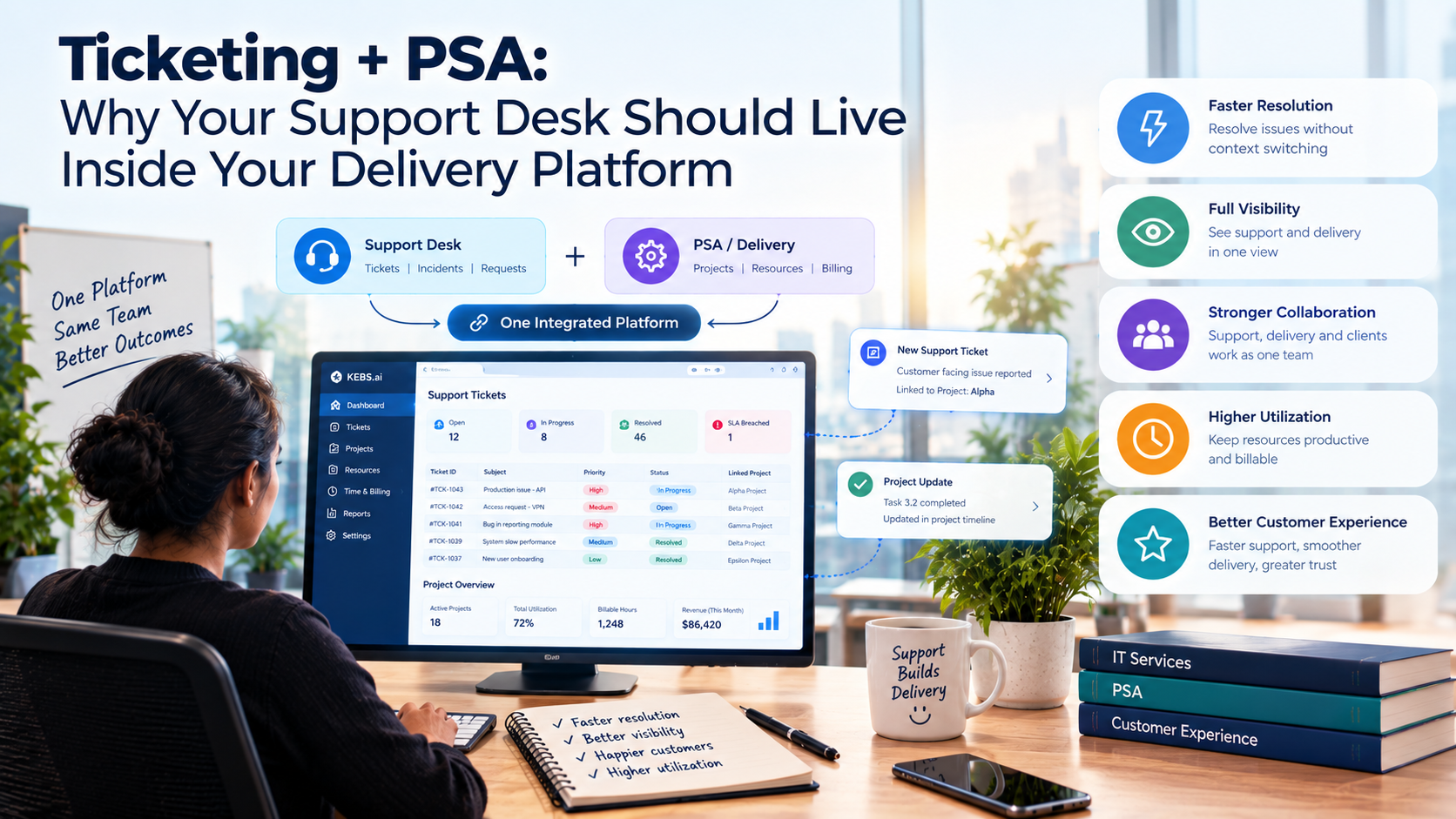
Most IT services firms run two operational systems that should be one: a ticketing tool for managing client support requests and incidents, and a PSA for managing delivery, resources, billing, and revenue. Every day these systems run separately, revenue leaks through the gap between them. Support hours are worked but not billed. SLAs are tracked in one system but invoiced from another. Client history lives in the ticketing tool but the account manager checks the PSA. Engineers log time in two places or in neither. This is not a workflow preference. It is an architecture problem with a measurable revenue cost. This guide makes the case for why your support desk should live inside your delivery platform.
When ticketing and PSA are separate, every billable support interaction must cross a system boundary to become revenue. That boundary is where hours are lost, rates are misapplied, and SLA data is disconnected from delivery data. The firms that eliminate this boundary earn more from every support contract without increasing headcount or raising rates.
The Two-System Problem
The pattern is almost universal in IT services firms above a certain size: the support desk runs on Jira Service Management, ServiceNow, Zendesk, or Freshservice, because those tools are excellent at managing ticket queues, routing incidents, and tracking SLA compliance. The delivery and billing operation runs on a PSA, because the PSA is where resources are allocated, projects are managed, timesheets are approved, and invoices are generated.
In theory, the two systems are complementary. In practice, every firm that runs them separately has built a revenue leak at the integration point between them. The leak exists because the fundamental data flow required to convert a resolved support ticket into billed revenue requires information to travel between two systems that were designed independently, speak different data models, and are often maintained by different teams.
The ticketing tool is where the work happens. The PSA is where the money lives. The gap between them is where your support contract margin goes to die.
What Gets Lost Between Systems
Engineers log time in the ticketing tool because that is where the work is. Those hours must be manually exported and imported into the PSA for billing. The export is periodic (daily, weekly, or at billing cycle end), the import is error-prone, and a significant fraction of hours are lost at each transfer. The engineer who worked 4.5 hours on a ticket that was manually transferred as 3 hours has just given away 1.5 hours of billable time.
The correct billing rate for a support hour depends on the client contract, the service tier, the incident category, and whether the work falls inside or outside the retainer scope. This context lives in the PSA. When hours are transferred to the PSA without this context, they are billed at a default rate that may be wrong for the specific ticket. Rate misapplication is a silent margin leak.
SLA performance data lives in the ticketing tool. Delivery performance, resource utilization, and project health live in the PSA. When these are separate, no one can answer the question: "Is our SLA performance correlated with the engineers assigned to this client?" or "Are support incidents affecting our project delivery timelines for this account?"
When an account manager opens the PSA to review a client account, they see project status and billing history but not support ticket volume and SLA trends. When a support engineer opens a ticket, they see the ticket history but not the account relationship context, contract scope, or current project health. Both miss information that would make them more effective.
The Cost of Keeping Ticketing and PSA Separate
| Cost Category | What It Looks Like | Estimated Impact |
|---|---|---|
| Revenue leakage | Billable hours lost in manual transfer between systems | 25 to 40% of support contract billable hours |
| Rate misapplication | Hours billed at wrong rate due to missing contract context | 2 to 8% reduction in support contract revenue |
| Billing delay | Invoices raised days to weeks after service delivery | 3 to 14 day DSO extension on support revenue |
| Duplicate time entry | Engineers logging time in both systems | 15 to 30 minutes per engineer per day in wasted operational time |
| Integration maintenance | IT time spent maintaining the connection between systems | $5,000 to $20,000 per year in developer and admin time |
| Reporting gaps | Inability to correlate SLA, delivery, and financial data | Strategic decisions made on incomplete account health data |
What a Connected Ticketing and PSA System Looks Like
-
Ticket created, client and contract loaded automatically
When a support request comes in, the system identifies the client, loads the applicable service contract, assigns the SLA tier, starts the response timer, and sets the billing rule (billable, retainer-covered, or excluded) without any manual data entry by the support engineer.
-
Engineer logs time once, it is available everywhere
Time logged against the ticket is immediately visible in the PSA delivery view, the billing queue, the client account, and the resource utilization dashboard. No export, no import, no transfer delay. The engineer enters time once and the system distributes it to every operational context that needs it.
-
SLA timer drives escalation and billing simultaneously
As the SLA countdown runs, escalation alerts fire to the right people at the right threshold. At the same time, the ticket cost accumulates in the billing engine. If the ticket is resolved within SLA, the billed amount is correct. If it breaches, the system flags the breach and applies any contractual penalty credit automatically.
-
Resolution triggers billing and recognition
When a ticket is marked resolved and time is approved, the billable hours are staged for the next invoice cycle. If the engagement uses automated billing, the invoice line is generated immediately. Revenue recognition is updated based on the applicable billing rule. No billing coordinator needs to manually connect the resolved ticket to the billing workflow.
-
Client account shows full picture: tickets, delivery, and billing together
The account manager view shows current ticket queue, SLA performance, open project health, resource allocation, invoice history, and payment status on one screen. No switching between systems to build a complete picture of the client relationship.
Integration vs. Native: The Real Trade-off
There are two architectural paths to connecting ticketing and PSA: integrating separate tools or running both natively in one platform. Both can work. The trade-offs are significant.
| Dimension | Integrated Separate Tools | Native Single Platform |
|---|---|---|
| Data latency | Sync lag of minutes to hours depending on integration design | Real-time, same data model |
| Data fidelity | Mapped fields only; unmapped data is lost at the boundary | Full data available across all functions |
| Maintenance cost | Ongoing: integration breaks with API changes, must be maintained | None: no integration to maintain |
| Billing accuracy | Dependent on field mapping completeness at integration build time | Native, complete, no mapping gaps |
| Reporting | Cross-system reports require data warehouse or manual assembly | Native cross-functional reporting from one data model |
| Best for | Firms with strong existing tool investment and dedicated integration capability | Firms building the stack fresh or willing to consolidate |
When Separate Tools Still Make Sense
There are legitimate reasons to maintain a separate ticketing tool alongside a PSA. The argument for keeping them separate is strongest when three conditions are all true simultaneously: the firm has made a significant investment in a specific ticketing platform (ServiceNow, Jira Service Management) that the client also uses and mandates for service delivery, a robust bidirectional integration with the PSA has been built and is properly maintained, and the firm has engineering resources dedicated to maintaining that integration through API changes and version updates.
If all three conditions are not met, the cost of separation in revenue leakage and operational overhead almost always exceeds the cost of consolidating onto a single platform. Most mid-market IT services firms do not meet all three conditions, which is why the default recommendation is a native unified platform rather than best-of-breed integration.
The Migration Path: Moving from Separate to Connected
Before migrating, measure the current state: what percentage of ticketing hours are making it into the PSA billing system, what is the average transfer delay, and what is the current rate misapplication rate. This baseline makes the ROI of consolidation concrete and justifies the migration investment to leadership.
Every client contract must be mapped to billing rules before consolidation: which ticket categories are billable at what rate, which are covered under retainer, which are out-of-scope. This mapping work is required regardless of which architecture you choose and is best done before migration when the pressure is lower.
Run the new connected system in parallel with the old ticketing tool for one complete billing cycle. Compare the hours captured in each system. The difference is your current revenue leakage rate and your first-month ROI from the migration.
Once the parallel cycle confirms the connected system is capturing equal or higher hours, cut over fully. The immediate revenue recovery from eliminating leakage typically covers the platform cost for the first 6 to 12 months within the first billing cycle post-migration.
KEBS runs ticketing natively inside the PSA delivery and billing operation. When a support ticket is created, the system automatically loads the client contract, assigns the SLA tier from the service agreement, sets the billing rule, and starts the SLA timer. Engineer time logged against the ticket appears immediately in the billing queue, the resource utilization dashboard, and the client account view. No export, no import, no transfer delay, no mapping gaps.
KII (KEBS Inform) monitors every open ticket against its SLA clock and escalates to the assigned engineer and account manager when a ticket approaches its response or resolution threshold. KIA (KEBS Act) triggers invoice staging automatically when a ticket is resolved and time is approved, ensuring that support revenue is captured in the correct billing cycle without coordinator intervention.
For firms that must maintain a separate Jira Service Management, Azure DevOps, or ServiceNow instance for client or enterprise compliance reasons, KEBS provides bidirectional integration that syncs ticket status, time entries, and SLA events in real time, eliminating the manual extraction step that causes most leakage. The integration maintains full billing rule context through the sync so that hours transferred from Jira carry their client, tier, and billing classification without manual re-entry in KEBS.
Frequently Asked Questions
Stop Losing Support Revenue Between Systems. Unify Ticketing and PSA with KEBS.
KEBS runs your support desk natively inside your delivery and billing operation. Every ticket hour flows to billing automatically. Every SLA is tracked in real time. Every support contract delivers its full revenue. Rated 4.7/5 on G2.
Book a Free Demo →